Material Takeoff
Assembly Manager
The Assembly Manager can be found by clicking the flange icon on the toolbar.

The Assembly Manager is largely controlled from an Excel workbook that is saved inside the plugin by default. The workbook contains three sheets; an Assembly List, a Filter List and a Parameter List.
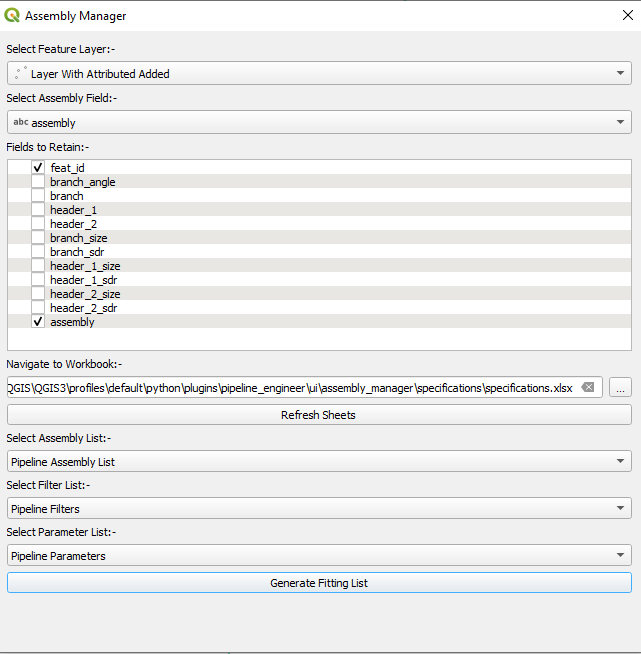
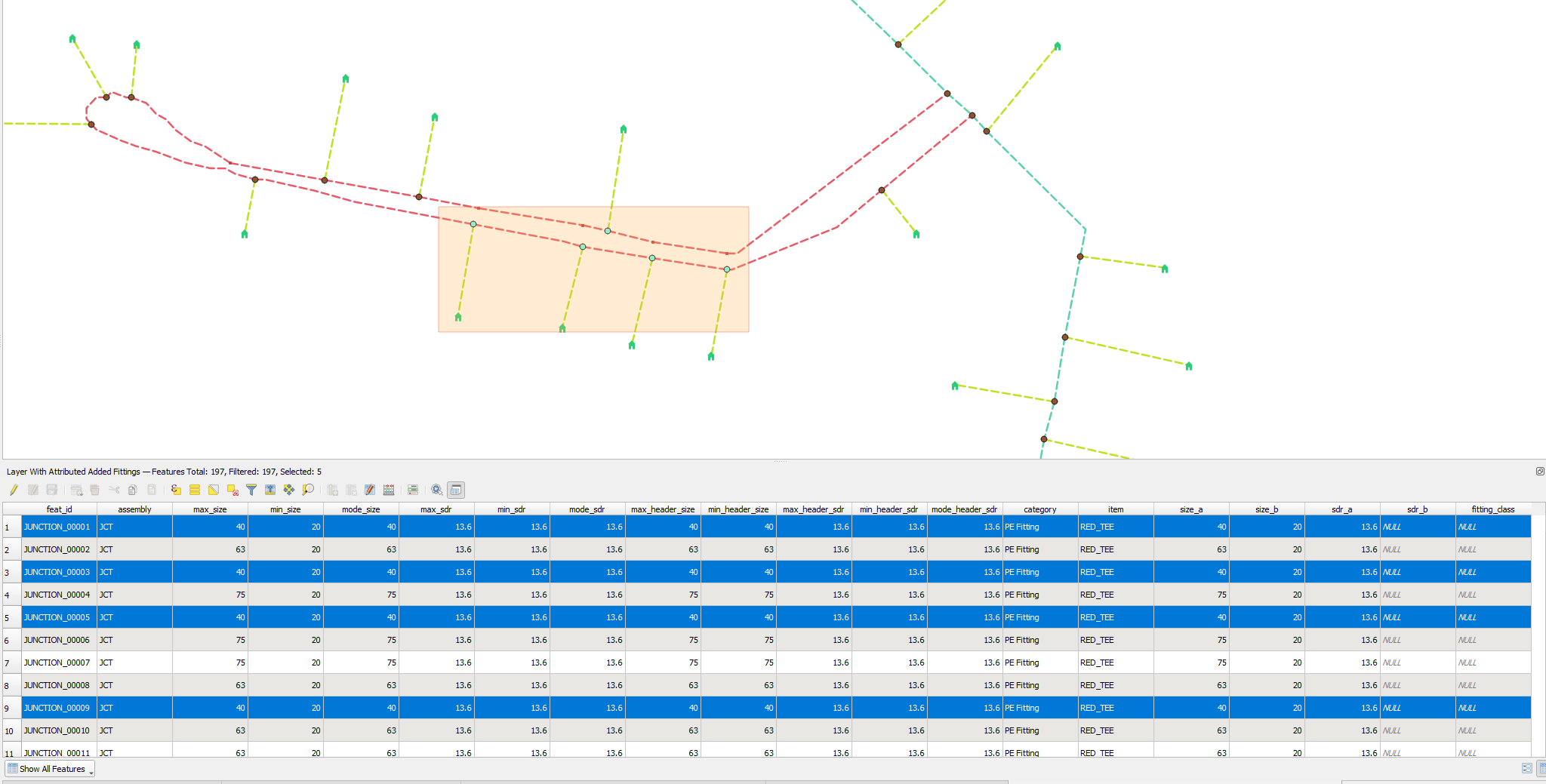
A list of fittings is made by combining a selected point layer with the Assembly List and filtering out any fittings that meet the criteria listed in the Filter List sheet (default examples include reducers that have the same size or SDR transitions that have the same SDR).
Algorithms
1 Bends
Identifies all bends per corridor in a given network layer.
1.1 Parameters
| Label | Name | Type | Description |
|---|---|---|---|
| Input layer | INPUT |
[vector: line] | Line layer user wishes to identify bends on |
| ID Field | ID_FIELD |
[tablefield: any] Default: Not set | Field containing unique identifiers on line layer |
| Minimum Bend Angle (degrees) | MIN_ANGLE |
[numeric: double] Default: 30 | Bends with angles smaller than this value will be discarded |
| ID Expression | ID_EXPRESSION |
[expression] Default: “CONCAT(‘BEND_‘,LPAD($id,5,’00000’))” | ID expression for each bend. |
1.2 Outputs
| Label | Name | Type | Description |
|---|---|---|---|
| Bends | OUTPUT |
[vector: point] | Returns a point layer containing all identified bends along with their angle |
1.3 Python Code
import processing

processing.run("algorithm_id", {parameters_dictionary})
2 Tees
Identifies all tee junctions in a given network layer.
2.1 Parameters
| Label | Name | Type | Description |
|---|---|---|---|
| Input layer | INPUT |
[vector: line] | Line layer user wishes to identify junctions on |
| ID Field | ID_FIELD |
[tablefield: any] Default: Not set | Field containing unique identifiers on line layer |
| ID Expression | ID_EXPRESSION |
[expression] Default: “CONCAT(‘JUNCTION_‘,LPAD($id,5,’00000’))” | ID expression for each junction. |
2.2 Outputs
| Label | Name | Type | Description |
|---|---|---|---|
| Tees | OUTPUT |
[vector: point] | Returns a point layer containing all identified Tee Junctions |
2.3 Python Code
import processing

processing.run("algorithm_id", {parameters_dictionary})
3 Four Way Unions
Identifies all four way junctions in a given network layer.
3.1 Parameters
| Label | Name | Type | Description |
|---|---|---|---|
| Input layer | INPUT |
[vector: line] | Line layer user wishes to identify junctions on |
| ID Field | ID_FIELD |
[tablefield: any] Default: Not set | Field containing unique identifiers on line layer |
| ID Expression | ID_EXPRESSION |
[expression] Default: “CONCAT(‘JUNCTION_‘,LPAD($id,5,’00000’))” | ID expression for each junction. |
3.2 Outputs
| Label | Name | Type | Description |
|---|---|---|---|
| Unions | OUTPUT |
[vector: point] | Returns a point layer containing all identified four way junctions |
3.3 Python Code
import processing

processing.run("algorithm_id", {parameters_dictionary})
4 Add Attributes to Layer
Pulls data from one layer and attaches it to another - useful for populating tees, bends and four way union layers with associated line sizing.
4.1 Parameters
| Label | Name | Type | Description |
|---|---|---|---|
| Layer with Attributes | ATTRIBUTES_LAYER |
[vector: any] | Layer containing fields with attributes. |
| Attribute Layer ID Field | ATTRIBUTE_ID_FIELD |
[tablefield: any] Default: Not set | Field that with value in selected fields on second layer. |
| Attribute Fields to Copy | FIELDS_TO_COPY |
[tablefield: any] [list] | Fields to add to second layer. |
| Layer to Add Attributes To | ATTRIBUTED_LAYER |
[vector: any] | ID expression for each junction. |
| Fields Containing Attributes | ATTRIBUTE_FIELDS |
[tablefield: any] [list] | Fields that will be matched up to ID field from original layer |
4.2 Outputs
| Label | Name | Type | Description |
|---|---|---|---|
| Layer With Attributes Added | OUTPUT |
[vector: any] | Returns a layer with all values copied over |
4.3 Python Code
import processing

processing.run("algorithm_id", {parameters_dictionary})